TLDR
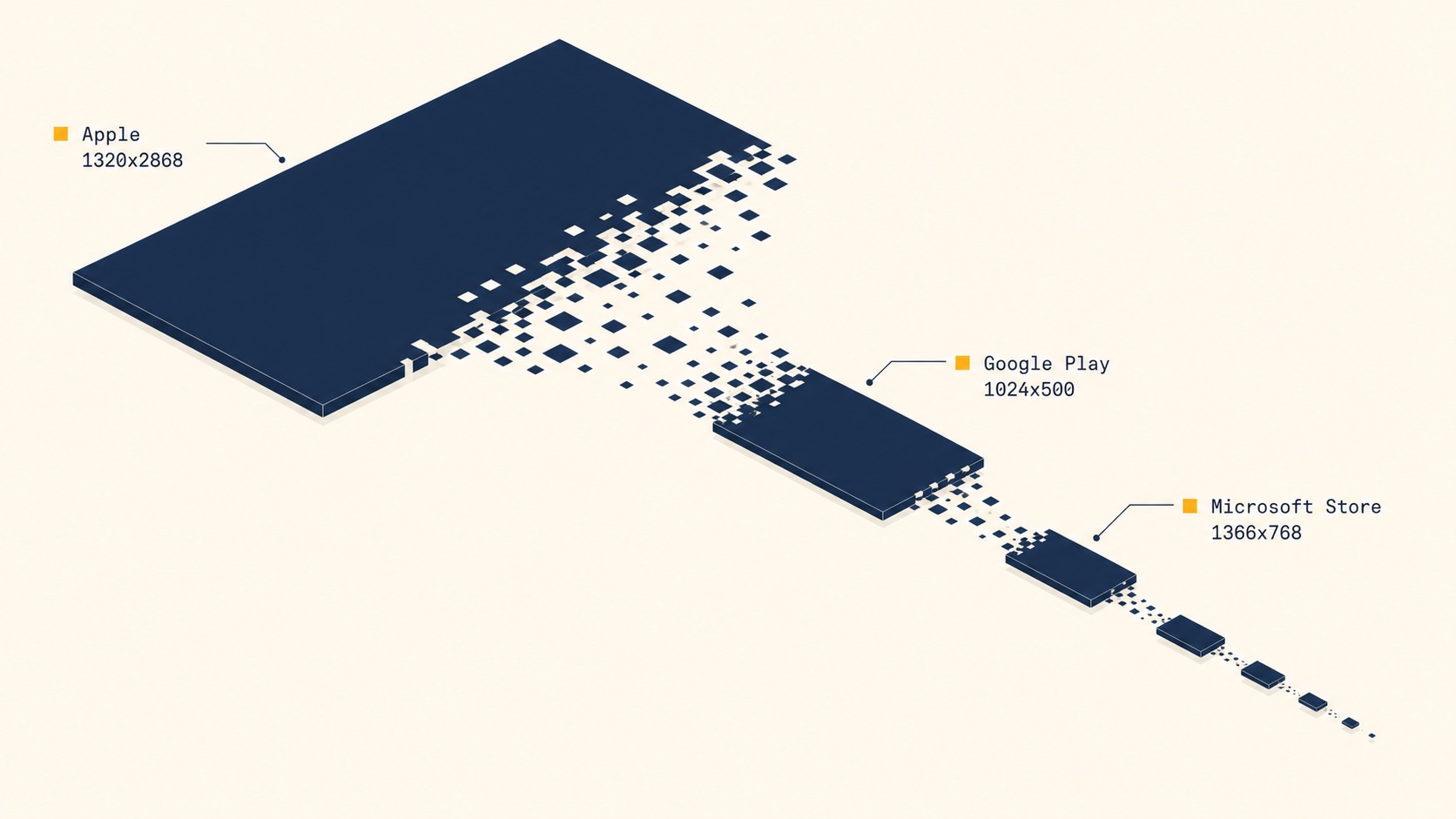
For 2026 submissions, lead with 1320x2868 for iPhone (6.9-inch), 2064x2752 for 13-inch iPad, a 1024x500 feature graphic plus 320–3840px phone shots for Google Play, and 1366x768 to 3840x2160 PNG or JPG screenshots for the Microsoft Store. Everything else cascades from these four base sizes.
What are the current app store screenshot sizes for iOS, Google Play, and Microsoft Store in 2026?
Each platform organizes its size requirements around a different anchor. Apple groups devices into display classes (iPhone, iPad, Apple Watch, Mac, Apple TV, Vision Pro) and propagates the largest asset down. Google Play sorts by form factor (phone, 7-inch tablet, 10-inch tablet, Chromebook). The Microsoft Store treats store listing screenshots, logos, and hero art as separate slots with their own pixel specs. The table at the bottom of this guide maps all of them in one place.
Why pixel-perfect dimensions still matter at submission
The most common rejection triggers across all three stores are dimension mismatches (often caused by exporting at non-integer scaling), embedded alpha channels in PNGs, the wrong color profile (anything other than sRGB), and portrait-versus-landscape orientation mistakes on shelves that expect a specific orientation. Flattening the PNG, locking the canvas to integer dimensions, and converting to sRGB before upload eliminates the majority of validator-triggered rejections.
Apple's cascading size system explained
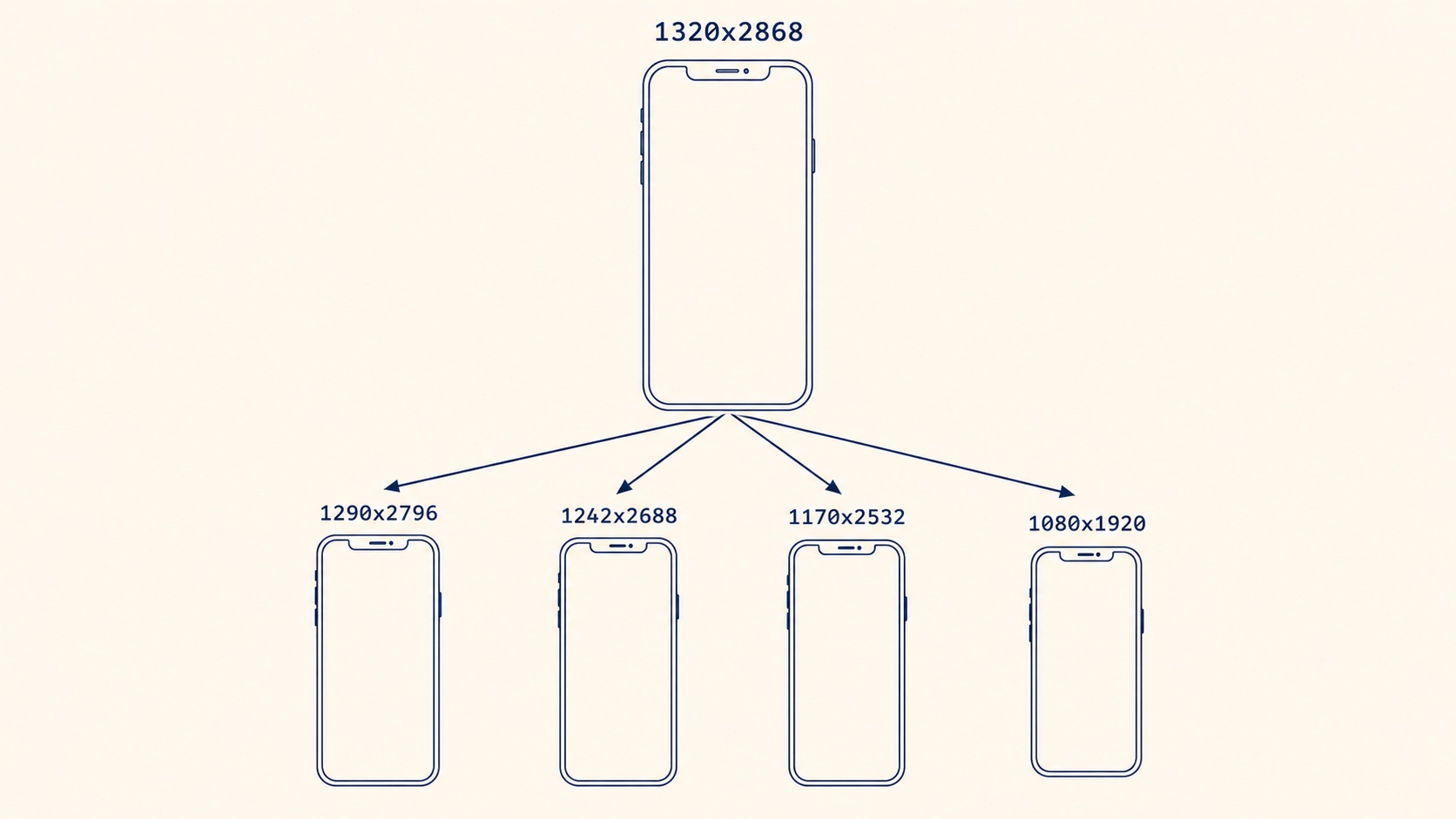
The 6.9-inch lead asset (1320x2868) propagates down to 6.7-inch (1290x2796), 6.5-inch (1242x2688), and 5.5-inch (1242x2208) shelves automatically. If your app only ships an iPad version, the 12.9-inch legacy slot can still be required — check App Store Connect against the device families your build declares. Apple Watch, Mac, Apple TV, and Vision Pro each carry their own non-cascading size families; submit the lead asset for each platform you actually support. Which of the two 13-inch sizes to upload, and when an app needs the iPad set at all, is covered in iPad App Store screenshot sizes.
Google Play's flexible size rules
The phone slot is the most forgiving spec across all three stores — almost any modern export will pass — but the 1024x500 feature graphic is rigid and the most common rejection cause on Google Play. It must be exactly 1024x500, PNG or JPG, with no alpha channel and no transparent pixels. If you ship tablet or Chromebook builds, fill those slots too; an empty tablet shelf is not a rejection, but it looks unfinished in the listing. The Google Play store listing graphics guide lists every Play asset, from the 512 × 512 icon to Wear OS and TV, and which ones block publishing.
Microsoft Store screenshot dimensions for Windows submissions
The Microsoft Store surface area is wider than most teams expect. Beyond screenshots you have the app logo (multiple sizes), the hero image, and an optional feature graphic — each with its own pixel spec inside Partner Center. The trailer slot prefers 1080p ProRes encoded at 29.97 FPS; H.264 fallbacks are accepted but compressed harder by the store. None of this cascades the way Apple does, so plan to export each slot explicitly.
Privacy considerations for pre-launch UI
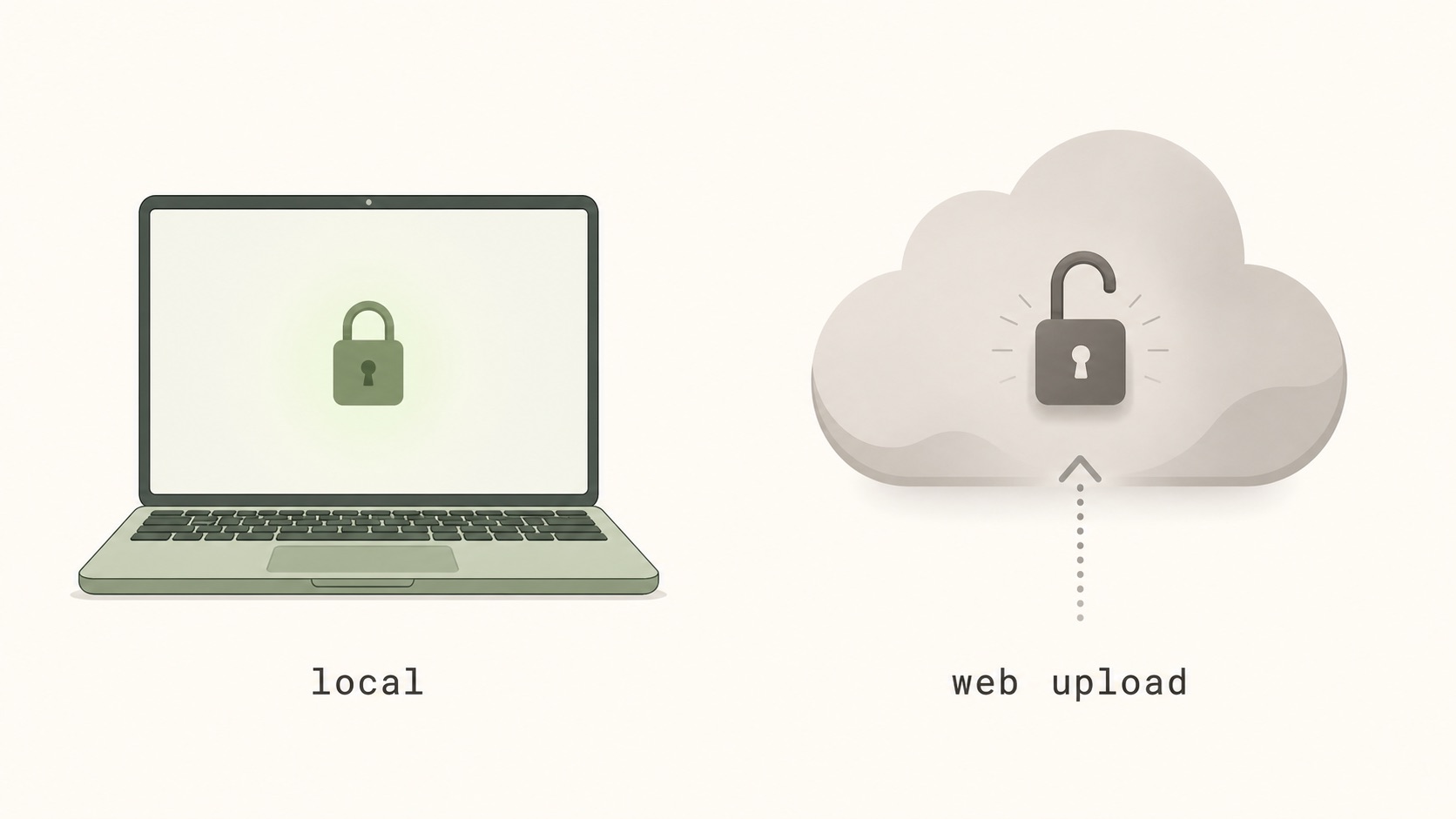
The threat model is not theoretical. Web uploaders frequently cache assets on a CDN with predictable URLs, and search engines have been known to index unreleased marketing copy embedded in screenshots. A local-first workflow keeps the file, its hash, and its EXIF metadata on the same disk as your source code, which is both safer and faster — no upload progress bar between every iteration.
Export every required size locally without a subscription
The workflow has three steps. Pick a base canvas at the largest required dimension (1320x2868 for iPhone-first projects). Set up downscale presets per store — Apple display classes, Google Play phone, tablet, Chromebook, and feature graphic, plus the Microsoft Store screenshot, logo, and hero slots. Validate every export against the spec before opening Partner Center, App Store Connect, or Google Play Console: integer dimensions, flattened PNGs, sRGB color profile, no alpha channel. Once the sizes are settled, how to design App Store screenshots covers what goes on each frame and in what order.
Complete 2026 reference table
| Store | Device class | Dimensions (px) | Format | Cascades? |
|---|---|---|---|---|
| Apple App Store | iPhone 6.9-inch (lead) | 1320 × 2868 | PNG / JPG (no alpha) | Yes — to smaller iPhone shelves |
| Apple App Store | iPhone 6.7-inch (legacy) | 1290 × 2796 | PNG / JPG (no alpha) | Auto-filled from 6.9-inch |
| Apple App Store | iPad 13-inch (lead) | 2064 × 2752 | PNG / JPG (no alpha) | Yes — to smaller iPad shelves |
| Apple App Store | iPad 12.9-inch (legacy) | 2048 × 2732 | PNG / JPG (no alpha) | Required if not auto-filled |
| Apple App Store | Apple Watch | Per series (native) | PNG / JPG (no alpha) | No — per series |
| Apple App Store | Mac | 1280 × 800 → 2880 × 1800 | PNG / JPG (no alpha) | No |
| Apple App Store | Apple TV | 1920 × 1080 or 3840 × 2160 | PNG / JPG (no alpha) | No |
| Apple App Store | Vision Pro | 3840 × 2160 | PNG / JPG (no alpha) | No |
| Google Play | Phone | 320–3840 px / side (16:9–9:16) | PNG / JPG (no alpha) | No |
| Google Play | 7-inch tablet | 320–3840 px / side | PNG / JPG (no alpha) | No |
| Google Play | 10-inch tablet | 320–3840 px / side | PNG / JPG (no alpha) | No |
| Google Play | Chromebook | 320–3840 px / side | PNG / JPG (no alpha) | No |
| Google Play | Feature graphic | 1024 × 500 | PNG / JPG (no alpha) | No — required |
| Microsoft Store | Store listing screenshot | 1366 × 768 → 3840 × 2160 | PNG / JPG (flattened) | No |
| Microsoft Store | App logo / hero / feature graphic | Per-slot spec (Partner Center) | PNG / JPG (flattened) | No |
| Microsoft Store | Trailer (optional) | 1080p, 29.97 FPS | ProRes preferred | No |
FAQ
Frequently asked questions
The Microsoft Store accepts store listing screenshots between 1366x768 and 3840x2160 pixels for MSIX submissions, delivered as flattened PNG or JPG with no alpha channel. Partner Center also has separate slots for the app logo, hero image, and feature graphic, each with its own pixel spec, and accepts an optional 1080p ProRes trailer at 29.97 FPS.
Design one master canvas at the largest target dimension (1320x2868 for iPhone), then use a one-time-purchase native macOS or Windows screenshot generator, an offline Figma or Sketch plugin, or a Fastlane snapshot script driving the iOS simulator. Map preset output canvases for each store and batch-export downscaled PNGs locally. No upload of unreleased UI to a third-party server is required.
Yes. The 1290x2796 size (iPhone 16 Pro Max) remains an accepted iPhone submission dimension alongside the newer 1320x2868 lead asset, though Apple recommends submitting at the larger size to avoid blurry upscaling on the iPhone 17 Pro Max display class.
The most common causes are a one-pixel deviation from the spec, an embedded alpha channel in a PNG, an unsupported color profile, or wrong orientation for the device shelf. Re-export from your master canvas at exact integer dimensions, flatten the PNG, and convert to sRGB before retrying.
Apple Watch sizes vary substantially per series, but Apple requires a single consistent size used across every localization for the series you target. If your app supports multiple watch series, upload screenshots for each supported series at its native dimensions; they do not cascade like iPhone shelves.
Google Play accepts phone screenshots between 320 and 3840 pixels on any single side, with aspect ratios from 16:9 landscape to 9:16 portrait. The store also requires a 1024x500 feature graphic and separate slots for 7-inch tablet, 10-inch tablet, and Chromebook screenshots if those form factors are supported.
✦
Export every size, locally
One-time $15.99. No subscription. Native desktop app for Mac and Windows that batch-exports every required App Store, Google Play, and Microsoft Store size from a single canvas.
macOS 12+ · Windows 10+ · One-time purchase