Guide

App Store Connect screenshot rejected? Fix it fast

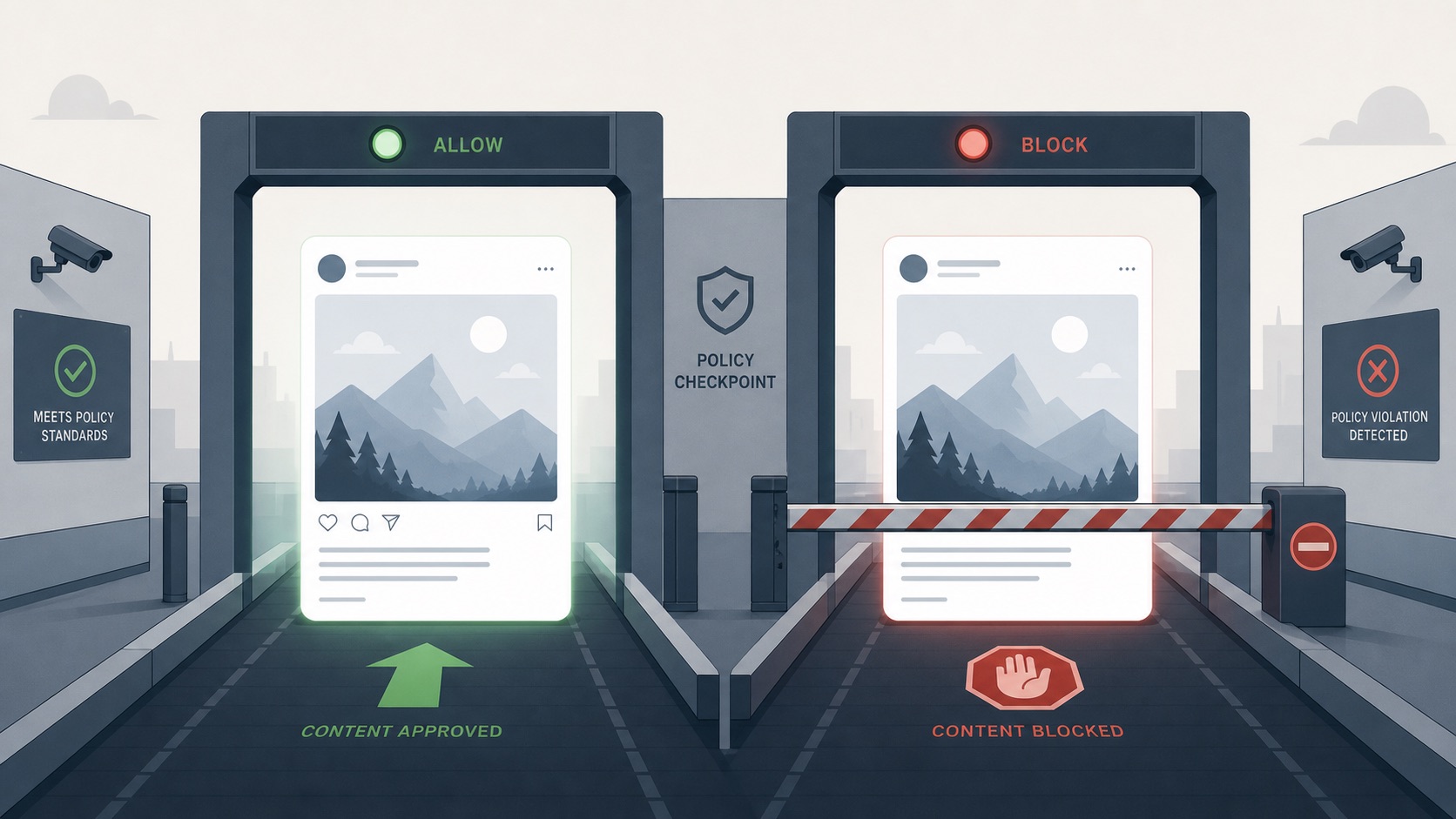
Two near-identical app screenshot panels approaching a checkpoint gate, one passing under a green light, the other stopped under a red light despite looking the same

An ordered, cause-by-cause checklist that pinpoints why a correctly-sized screenshot still gets rejected, and the exact fix for each case — so you can clear the error and get back to shipping in minutes, not days.

Published May 31, 2026 · 8 min read

See ListingShots →

TLDR

App Store Connect rejects correctly-sized screenshots when the file carries a hidden alpha channel, uses a non-RGB color space like CMYK, sits in the wrong device slot, or hits a server-side upload bug. Fix it by flattening the alpha channel, converting to sRGB, matching the slot, and re-uploading one file at a time.

Why does App Store Connect reject my correctly-sized screenshot, and how do I fix it?

Answer: App Store Connect rejects correctly-sized screenshots when the file carries a hidden alpha channel, uses a non-RGB color space like CMYK, sits in the wrong device slot, or hits a server-side upload bug. Fix it by flattening the alpha channel, converting to sRGB, matching the slot, and re-uploading one file at a time.

Pixel dimensions are only the first of several checks Apple's validator runs. Even a file exported at the exact 1320x2868 spec can fail if it carries a hidden alpha channel, sits in a CMYK profile, or is uploaded to a shelf that expects a different aspect ratio. The four causes worth investigating before anything else are file metadata (color space, alpha), the device slot you picked in App Store Connect, batch upload race conditions, and the rare but real server-side parser outage on Apple's end.
Content rejection vs upload error: two different problems

Answer: An upload error stops the file from attaching at all and is technical: alpha channels, color space, format, or a server bug. A content rejection happens later in review and is about what the screenshot shows. Mixing the two sends you chasing the wrong fix, so confirm which one you have first.

Upload error signals: the file never attaches, you see IMAGE_TOOL_FAILURE, "Image dimensions are not valid", or a progress bar that snaps back to zero. These happen instantly, before a human has looked at anything.

Content rejection signals: the file uploads fine, the build submits, and then days later you get a Resolution Center message citing guideline 2.3 (accurate metadata), misleading copy, or showing UI that does not exist in the build. These are review decisions, not parser failures, and the fix is to re-shoot the screenshot — not to re-export it.

Map the error message to its real cause

Answer: Each App Store Connect error points to a specific root cause. 'Image dimensions are not valid' means the file is off-spec, often by one pixel. 'Wrong aspect ratio for selected device' means a slot mismatch. IMAGE_TOOL_FAILURE usually means an alpha channel or a multi-file upload bug.

Match the message you actually see to the row below before applying any fix. Most teams burn an afternoon on the wrong cause because two different errors look similar in the UI.

Error message / symptom

Likely root cause

Where it happens

Fix

Image dimensions are not valid

File is off-spec, often by one pixel

Upload

Re-export at the exact integer dimension

Wrong aspect ratio for selected device

Asset uploaded to the wrong device shelf

Upload

Move to the matching display class slot

IMAGE_TOOL_FAILURE

Hidden alpha channel or multi-file upload bug

Upload

Flatten the PNG, upload one file at a time

Color space not supported

File is CMYK or Display P3, not sRGB

Upload

Convert the profile to sRGB IEC61966-2.1

Unsupported file format

WebP, HEIC, or TIFF instead of PNG / JPEG

Upload

Re-export as flat 8-bit PNG or JPEG

File size exceeds limit

Single image is over 10 MB

Upload

Re-export at a lower quality or as JPEG

Upload failed / timeout / generic error

Server-side App Store Connect outage

Upload

Delete the asset, wait, retry one file at a time

Screenshot does not match the user experience

Shown UI differs from the submitted build

Review

Re-shoot with the real shipping build

Misleading or inaccurate metadata (guideline 2.3)

Marketing copy or content overlay misrepresents the app

Review

Remove the false claim and resubmit

How to strip the alpha channel and fix the color space

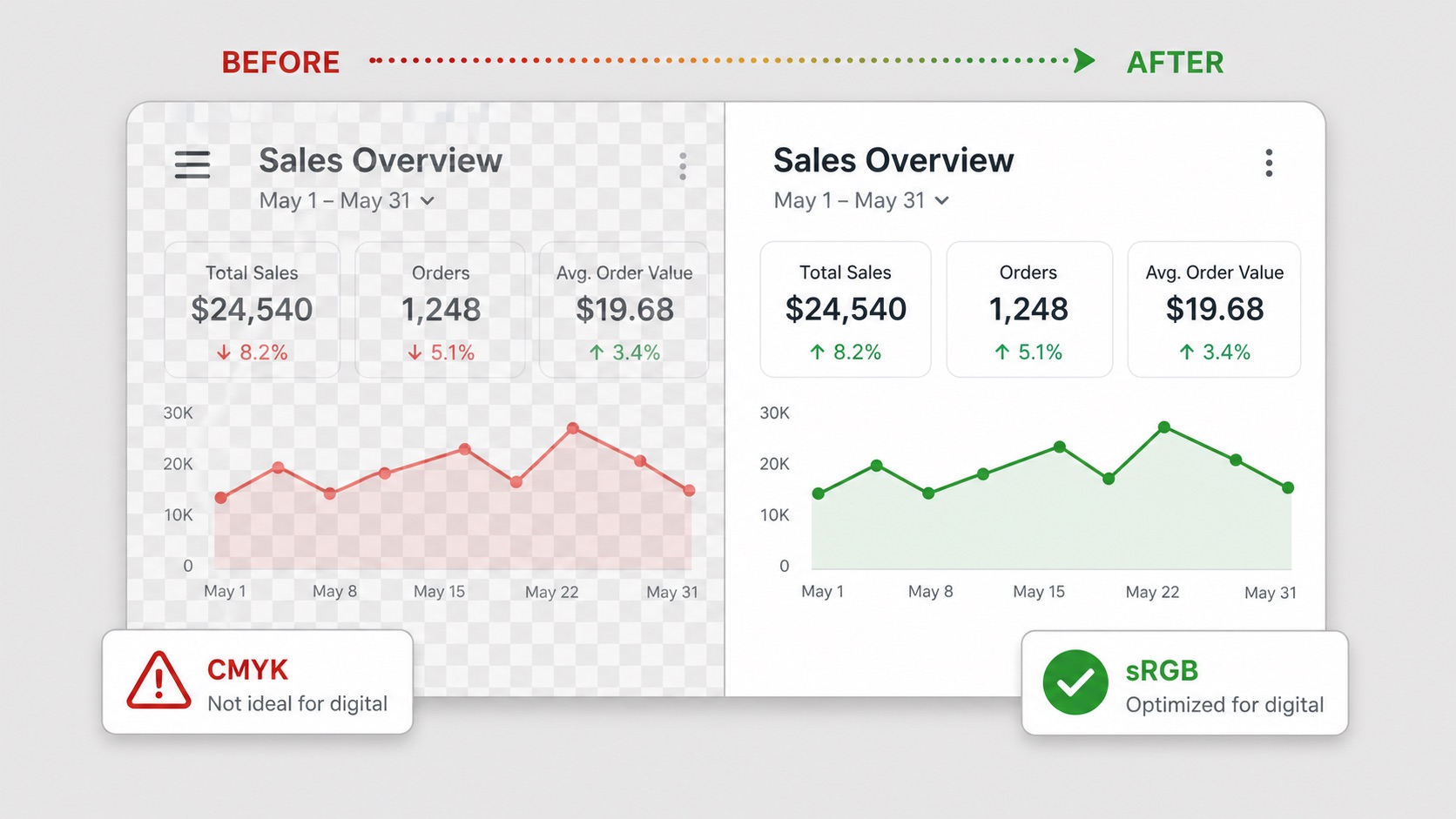
Answer: App Store screenshots must be flat sRGB PNG or JPEG with no transparency. A hidden alpha channel or a CMYK profile passes a visual check but fails Apple's parser. Flatten the image against a solid background and convert the color profile to sRGB before re-uploading to clear most IMAGE_TOOL_FAILURE errors.

Check for an alpha channel. In Preview on macOS, open the file and choose Tools → Show Inspector; if the "Has alpha" row says Yes, the PNG carries transparency Apple will reject. In Photoshop, look at the Channels panel — anything beyond R, G, B is an alpha. The fix is to flatten the file onto a solid background and re-export as 8-bit PNG with the alpha layer removed.

Convert CMYK or P3 to sRGB. A screenshot exported from a print-oriented document, or a designer mockup that inherited a Display P3 profile, can render correctly on screen but fail the upload. In Preview, choose Tools → Assign Profile → sRGB IEC61966-2.1. In Photoshop, Edit → Convert to Profile → sRGB. Re-upload the converted file; this alone resolves a large share of IMAGE_TOOL_FAILURE cases.

Before-and-after split of a single app screenshot, left side flagged with a transparency checkerboard and a CMYK warning, right side flattened and labeled sRGB

The ordered troubleshooting checklist

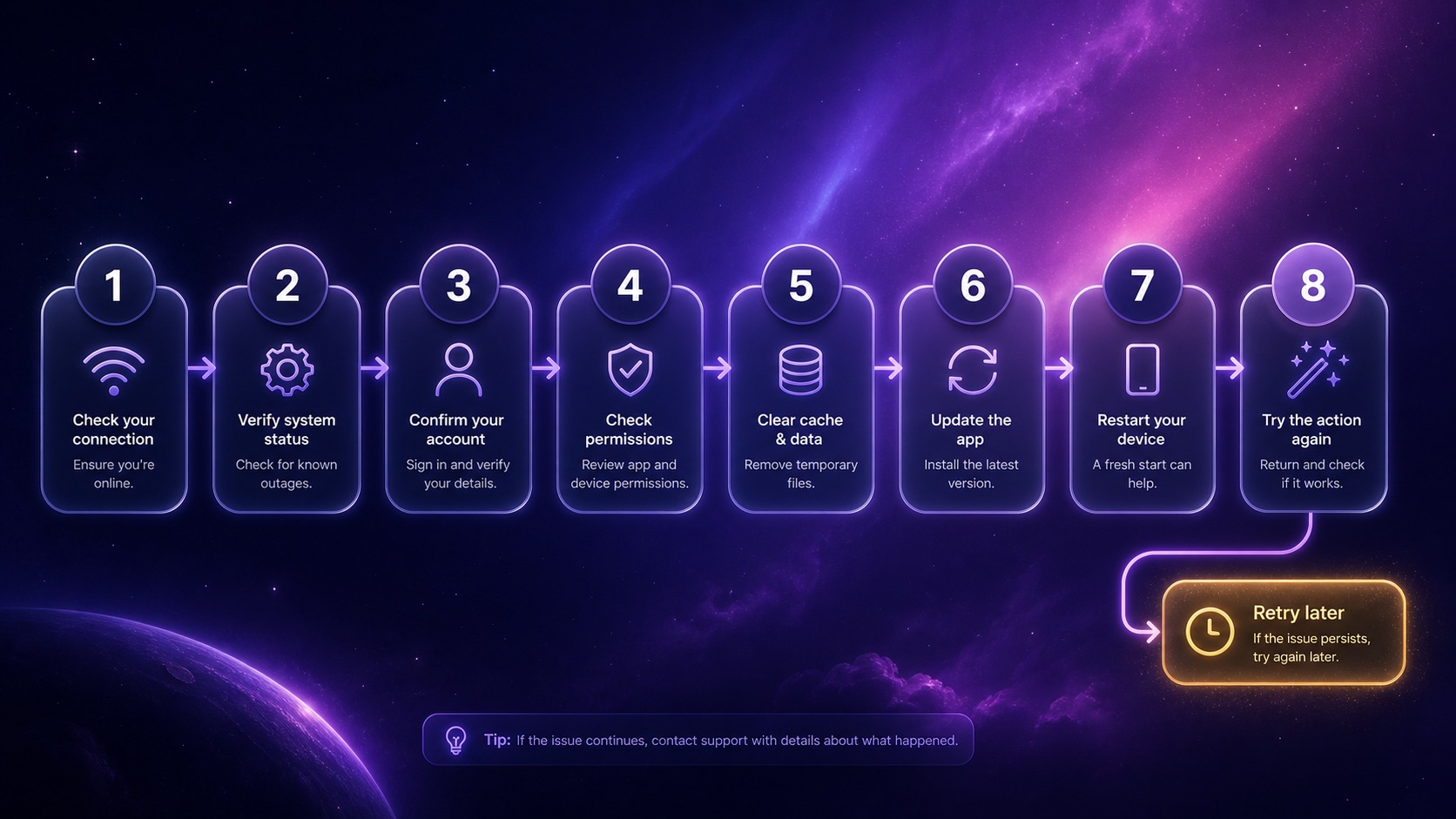
Answer: Work through the causes from most to least common: confirm exact pixel dimensions, strip the alpha channel, verify sRGB color space, confirm PNG or JPEG format, match the device slot, shorten the filename, upload one file at a time, then switch browser. If all pass, suspect a server-side Apple bug and retry later.

Steps 1–4: the file itself.

1

Confirm the file is the exact spec dimension. 1320x2867 fails 1320x2868. Re-export at the integer value, not a scaled approximation.

2

Strip the alpha channel. Flatten the PNG onto a solid background; export as 8-bit PNG with no transparency.

3

Verify the color space is sRGB. Convert any CMYK or Display P3 profile to sRGB IEC61966-2.1.

4

Confirm the format is PNG or JPEG. WebP, HEIC, and TIFF are rejected even at the correct dimensions.

Steps 5–8: the upload path.

5

Match the device slot. A 6.9-inch asset uploaded to the 6.5-inch shelf fails on aspect ratio even though both are valid sizes individually.

6

Shorten the filename. Long or special-character filenames have been observed to trigger IMAGE_TOOL_FAILURE; rename to something like ss1.png and retry.

7

Upload one file at a time. Batch uploads, especially across two display sizes at once, frequently trigger a failure loop.

8

Switch browser or use a private window. Safari, Chrome, and Firefox handle the App Store Connect uploader slightly differently; a stuck session in one often clears in another.

When nothing works: if every file check passes and you have cycled the browser, you are almost certainly looking at a server-side issue on Apple's end. Delete the half-uploaded asset, wait an hour or two, and re-upload one file at a time. Apple's developer forums document recurring server-side upload outages whose only resolution is patience.

Vertical numbered flowchart of eight troubleshooting steps descending into a final retry-later endpoint

App Store screenshot software that works on Windows without a Mac

Answer: Most screenshot tooling is Mac-only, which leaves Windows developers without a local option. A one-time-purchase desktop tool that runs on your own machine, knows the exact store dimensions, and exports flat sRGB PNGs avoids both subscriptions and uploading unreleased UI to a third-party server before launch.

Why Mac-only workflows fail Windows devs. The standard recommendation — Xcode simulator, Cmd+S — assumes you have a Mac sitting under your desk. Cross-platform indie developers who build on Windows are left with a choice between renting a Mac in the cloud, uploading raw captures to a browser-based generator, or wrestling with image editors that do not know Apple's latest spec.

What a local export tool handles for you. A native desktop app that ships current store presets exports each frame at the integer dimension Apple requires, flattens to 8-bit sRGB PNG with no alpha channel, and applies the correct file format — every export is upload-ready by default. The raw UI never leaves your machine, which also closes the pre-launch leak surface created by uploading screenshots of unreleased features to a third-party server.

For the full per-device pixel table referenced throughout this article, see the App Store screenshot sizes 2026 reference. Two companion articles — one on the privacy tradeoffs of uploading unreleased UI to a web tool, and one on a complete pre-submission QA checklist for every store — are coming soon.

FAQ

Frequently asked questions

Pass the validator on the first try

One-time $15.99. No subscription. A native desktop app for Mac and Windows that exports every store-ready screenshot as flat sRGB PNG with no alpha channel — upload and ship without the rejection loop.

Buy ListingShots — $15.99Download the installer

macOS 12+ · Windows 10+ · One-time purchase

App Store screenshot sizes 2026 →Offline App Store screenshot generator →