TLDR
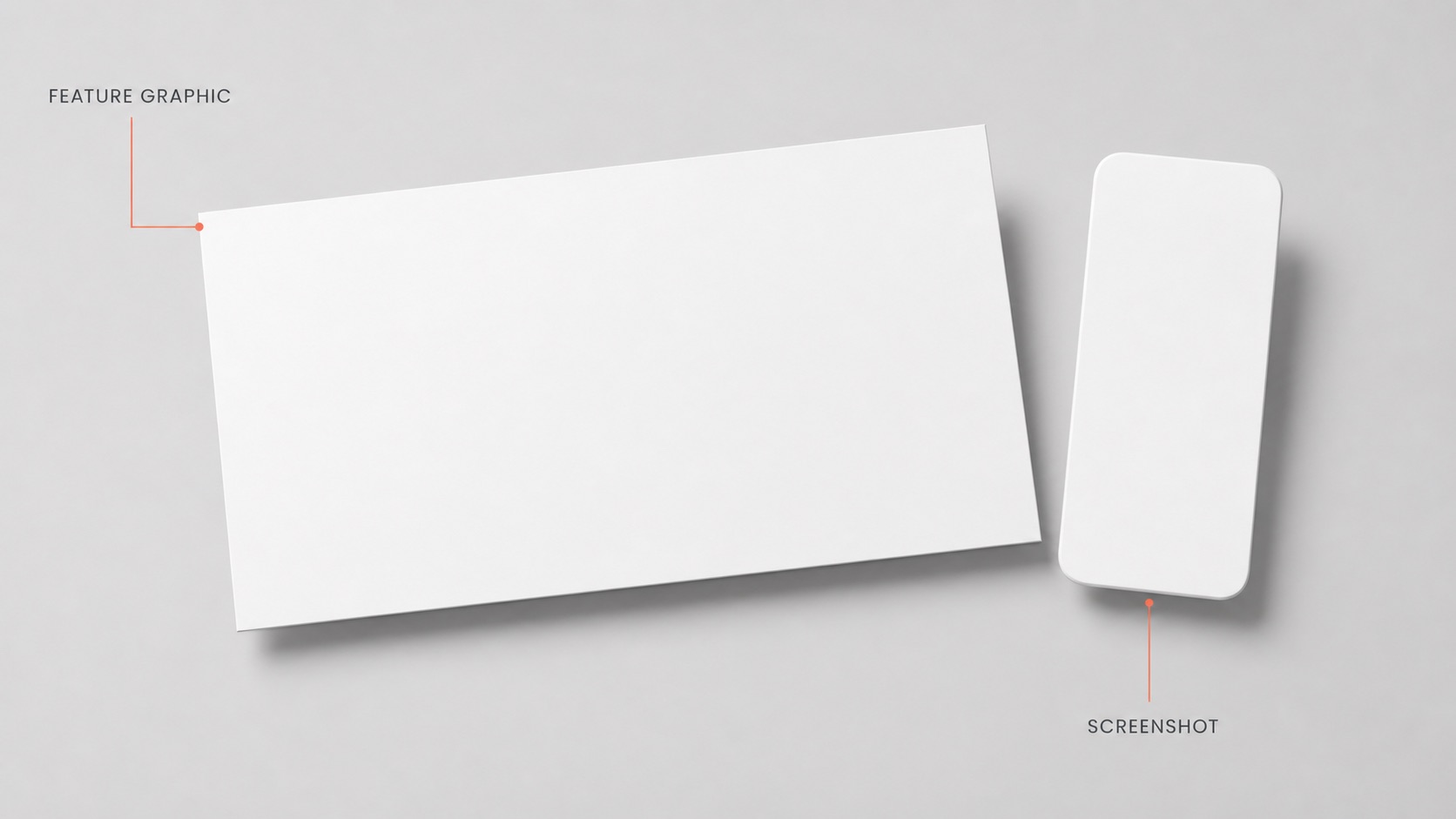
A feature graphic is a single 1024x500 landscape banner Google Play uses as cover art and editorial promo. A screenshot is a device-sized portrait image of real in-app UI. The feature graphic brands; screenshots demonstrate.
What is an app store feature graphic and how is it different from a screenshot?
The terminology trips up most indie developers at first submission. The two assets share the word "image" and live in adjacent slots inside Google Play Console, but they do completely different jobs. The feature graphic is editorial cover art that Google reuses across surfaces you never directly control. Screenshots are listing-page UI samples that only ever appear once the user is already on your listing. Conflating the two leads to cropped logos, illegible cover art, or a cluttered listing that converts worse than it should.
Where the feature graphic actually appears on Google Play
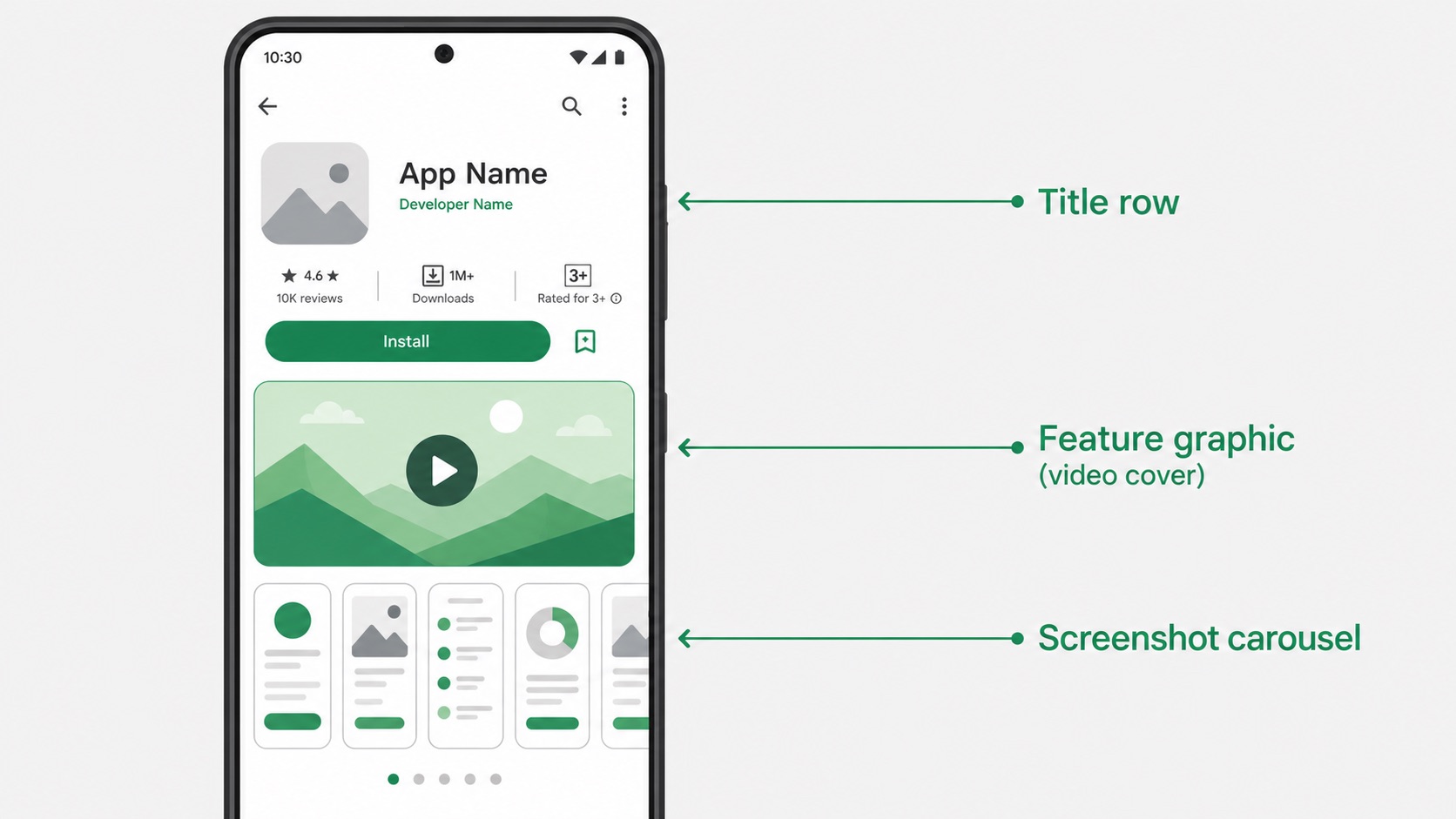
After the 2018 Play Store redesign, the feature graphic moved to sit below the app title as a video cover, not at the top of the listing as it once did. The bigger point most teams miss: the feature graphic is the only one of your store assets Google can promote outside the listing itself. Editor's Choice tiles, Featured Games rows, search result cards, and App Campaigns ads all pull from this single 1024x500 banner. The desktop web Play Store hides it entirely, which is why previewing your asset on a real phone matters more than checking how it looks in a browser tab.
Feature graphic vs screenshot: specs, role, and rules
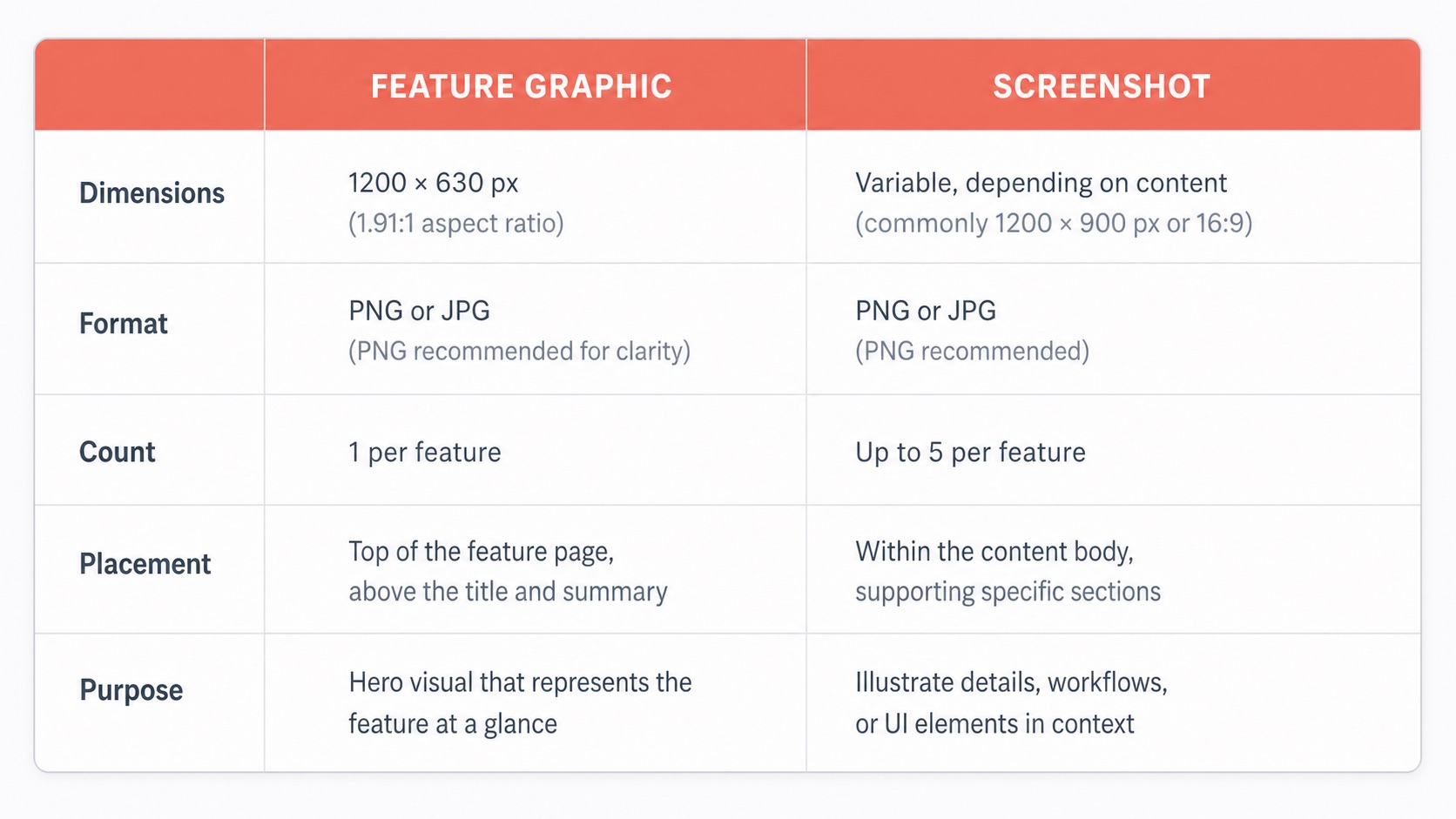
A useful way to think about it: the feature graphic answers "why should I care?" in a single frame, while screenshots answer "what does this actually do?" across several frames. The table below maps the practical differences across dimensions, format, count, placement, and Apple's equivalent slot.
| Attribute | Feature graphic | Screenshot | Apple equivalent |
|---|---|---|---|
| Dimensions | 1024 × 500 (fixed) | Portrait, per device class | Promotional Artwork 4320 × 1080 |
| Orientation | Landscape | Portrait | Landscape |
| Format | JPEG or 24-bit PNG, no alpha | PNG / JPG, no alpha | PSD template |
| Count | Exactly one | Up to 8 per device class | Exactly one (global) |
| Placement | Listing, editorial, search, ads | Listing gallery only | Today Tab editorial feature |
| Required? | Yes — mandatory to publish | Yes — per device class | Invite-only |
| Purpose | Brand and earn the click | Demonstrate and earn the install | Editorial brand feature |
Google Play feature graphic technical specs in detail
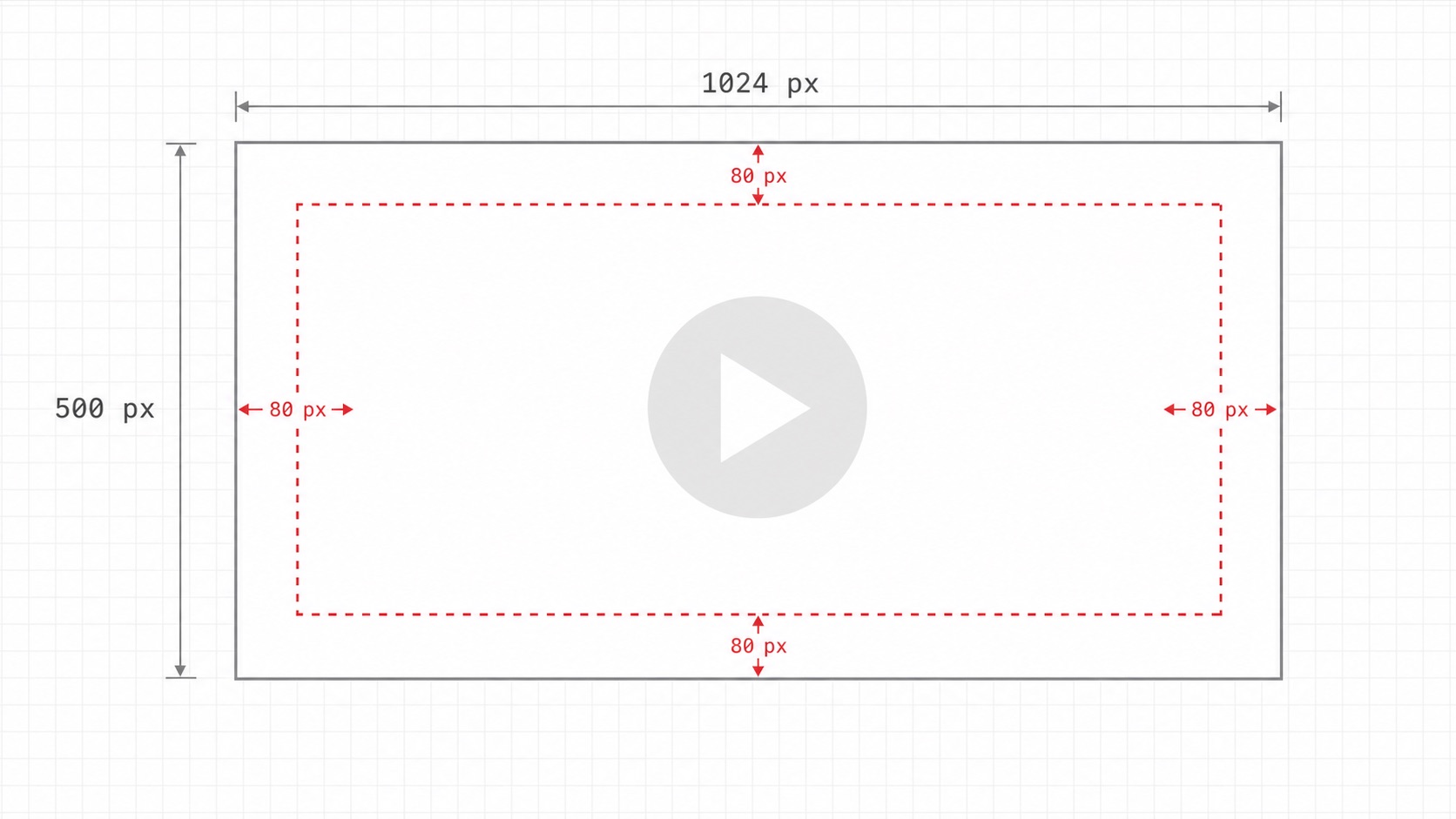
The dimension is rigid: 1024 pixels wide by 500 pixels tall. JPEG and 24-bit PNG are the only accepted formats, and Google's validator rejects any file with an alpha channel or transparent pixels. The 15 MB ceiling is generous enough that file size is rarely the bottleneck — composition is. The play button overlay sits roughly in the center of the canvas when a promo video is attached, and aggressive cropping on smaller surfaces eats into the outer edges. A safe zone of about 70 to 80 pixels from each edge protects logos, taglines, and product imagery from being clipped or obscured.
Does the App Store have an equivalent? Promotional Artwork explained
The vocabulary confusion is unavoidable. "Hero image" is what most developers Google when they want the iOS equivalent of a feature graphic, but Apple's official name is Promotional Artwork. It is delivered as a 4320x1080 PSD, not a flat image, and lives behind an invite gate in App Store Connect — you only see the slot if Apple's editorial team has tagged your app for featuring on the Today Tab. Apple also enforces strict content rules: no taglines, no prices, no device models, no weapons, no logos beyond your own. It is global and cannot be localized per country. In practice, most indie apps will never upload one, which is exactly why the terminology matters less than understanding that Google Play's feature graphic has no like-for-like Apple counterpart you can simply duplicate.
Why both assets exist: the conversion funnel logic
Treating the feature graphic and screenshots as one project is the most common mistake first-time submitters make. The feature graphic is an acquisition surface — it has to work standalone, with no context, often shown beside competitors in a horizontal scroll. Screenshots are a conversion surface — they assume the user has already committed enough attention to open your listing and now wants proof that the app delivers. One acquires the attention; the other earns the install. Neither can replace the other, and skimping on either side of the funnel costs measurable installs.
Using a Google Play screenshot maker to produce both assets locally
The friction is in the redundancy. Figma forces you to maintain a separate canvas per output dimension; touch the master and you re-layout each one by hand. A web-based play store screenshot generator avoids that, but at the cost of uploading raw simulator captures of unreleased UI to a third-party server, where the asset, its hash, and any embedded marketing copy can be cached or indexed before launch. An offline cross-platform workflow keeps every frame on your own machine and outputs the 1024x500 feature graphic alongside every required iOS, Google Play, and Microsoft Store screenshot size from a single canvas. If you want the full screenshot dimension table to pair with this guide, the App Store screenshot sizes 2026 complete reference covers iOS, Google Play, and Microsoft Store dimensions next to this definition. For the feature graphic alongside the icon, every screenshot slot and the policy rules, see the complete guide to Google Play store listing graphics.
FAQ
Frequently asked questions
Apple's closest equivalent is Promotional Artwork, sometimes called featuring artwork and informally a hero image. It is uploaded as a 4320x1080 PSD in App Store Connect, but unlike Google Play's feature graphic it is invite-only and reserved for apps Apple selects for editorial placement. Most indie apps will never need to create one.
The two assets serve different stages of the funnel. The feature graphic is the only asset Google can promote outside the listing, including in search rows, Editor’s Choice, and ads, where a screenshot gallery cannot fit. Screenshots then carry the conversion once the user opens the listing. One asset acquires attention, the other earns the install.
You cannot publish. Google Play requires the feature graphic as one of four preview assets regardless of whether you attach a promo video. Without it, your release will not pass review, and you also forfeit any chance of editorial featuring, since the feature graphic is the prerequisite asset for those placements.
Technically yes, but it almost always fails in practice. Screenshots are portrait, UI-dense images designed to be read at phone scale. Cropped to a 1024x500 landscape banner they lose context and legibility, especially under the play button overlay. The feature graphic should be designed as branded cover art, not repurposed UI.
Yes. The same 1024x500 asset is reused across Google Play surfaces on Chromebook, Wear OS, and Android TV in addition to phones and tablets. That single banner must hold up across screen sizes from a watch face to a TV, which is why a generous safe zone and a simple, on-brand composition matter more than dense detail.
Yes. Native generators that run locally on macOS or Windows can output a 1024x500 feature graphic alongside device-sized screenshots for iOS, Google Play, and Microsoft Store in one pass. This keeps unreleased UI off third-party servers and avoids recurring SaaS fees, which matters most for indie developers and side projects pre-launch.
✦
Feature graphic and every screenshot, locally
One-time $15.99. No subscription. Native desktop app for Mac and Windows that batch-exports a 1024x500 Google Play feature graphic alongside every required iOS, Google Play, and Microsoft Store screenshot from a single canvas.
macOS 12+ · Windows 10+ · One-time purchase